
sysc-lock
Compositor-enforced session locker installed as part of the pinned SYSC suite.
SYSC v0.1.3 installs sysc-lock v0.1.1 as the session-lock owner. The installer verifies the amd64 binary checksum, installs sysc-lock under ~/.local/bin and enables sysc-lock-session.service for the user session.
New sysc-shell configs set session.locker: "sysc-lock". SYSC leaves an existing shell config unchanged, so check its Lock Screen setting if the shell does not invoke the locker (sysc v0.1.3 README).
Starting the owner service does not acquire a lock. Running sysc-lock requests a lock, so do that only when you are ready to lock the current session and can authenticate.
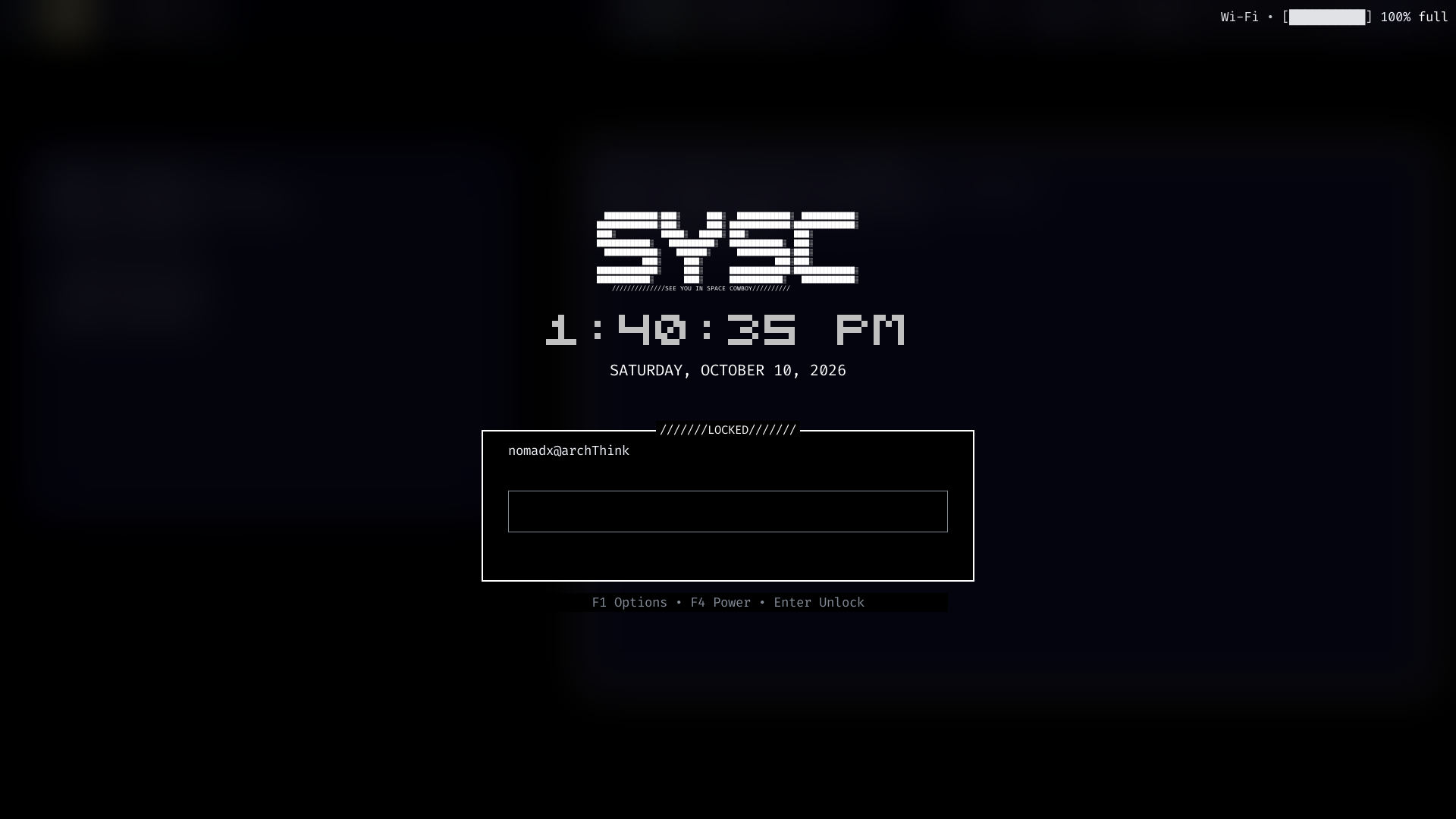
Security requirements
The v0.1.1 security model describes locking through the compositor's ext-session-lock-v1 protocol and authentication through the system PAM login service. It describes compositor-enforced input sealing, with no unlock bypass flag, test-mode environment variable or IPC unlock path. PAM, the compositor and the installed release determine the actual security boundary; do not replace PAM configuration as a troubleshooting step.
The release targets Linux amd64 and needs glibc 2.35 or newer plus PAM, EGL and GLES runtime libraries. Building the locker needs the libpam headers. The standalone installer writes under its selected prefix, but does not enable or start the service, edit PAM or use sudo. Installing build or runtime packages may require an administrator.
For normal suite use, let sysc manage the pinned binary and session unit. The standalone installer is a separate path; review the upstream release instructions and its service integration before activating it in a Niri session.
Check the owner
Run status and log checks as the same user that owns the graphical session:
systemctl --user --no-pager status sysc-lock-session.service
journalctl --user -u sysc-lock-session.service -b --no-pager
The owner expects Niri and the graphical-session.target environment and supports one graphical Wayland session per user ID (UID). Conflicting or stale registration fails explicitly (v0.1.1 README). A separate TTY is a useful recovery path for inspecting a failed session, but killing the owner or changing PAM does not provide an authenticated unlock. See lock troubleshooting.
The suite reference shows the exact pin. The source record distinguishes that release from the current sysc-lock default-branch source.
Preview the lock UI
Use the preview command to inspect a palette and effect without locking the session. It reads one bounded JSON object from standard input and writes a PNG to standard output:
printf '%s' '{"config":{"effect":"none","palette":"nord"},"width":960,"height":540}' \
  | sysc-lock --preview > lock-preview.png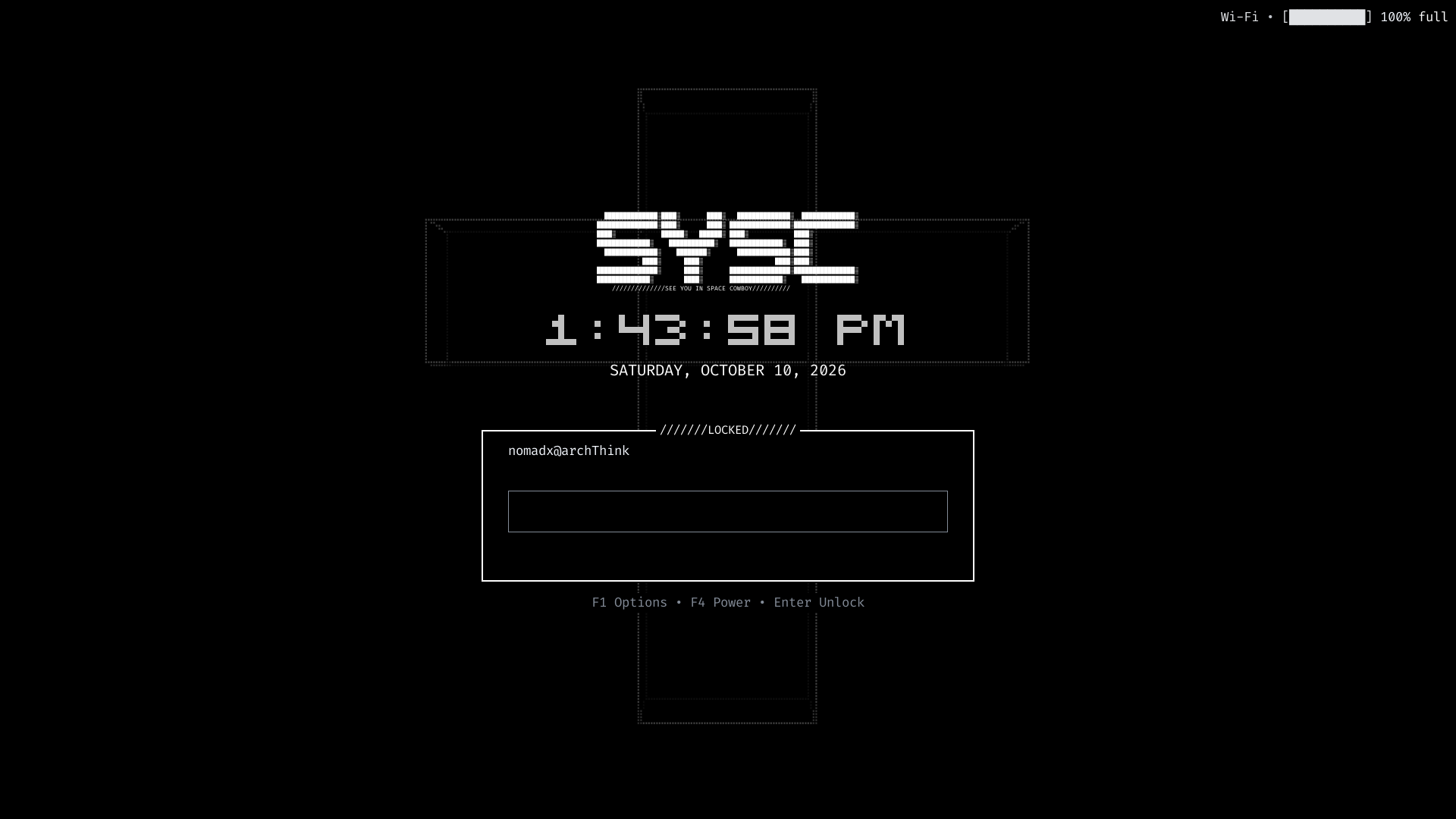
Shell Settings → Lock Screen uses the same installed renderer and applies changes on the next lock. The config file lives at $XDG_CONFIG_HOME/sysc-lock/config.json, defaulting to ~/.config/sysc-lock/config.json. The lock screen can also follow the named palette committed by sysc-shell. Choose a palette in the locker's options or set follow_shell to false to keep an independent palette.
The preview command does not read user config, authenticate, write config or request a lock. Use it before presentation changes; running sysc-lock itself requests a lock.
Session recovery
The user service owns the session-lock registration. Run status and journal checks from the same graphical user session that owns Niri. The service needs XDG_SESSION_ID, NIRI_SOCKET, WAYLAND_DISPLAY and XDG_RUNTIME_DIR; a service started from a plain TTY may lack them.
The owner supports one graphical Wayland session per user ID. A stale or duplicate registration fails and appears in the service journal. Inspect those diagnostics from a TTY if the graphical session is unavailable. Keep PAM and the lock owner intact while recovering; stopping the owner does not authenticate or release the compositor lock.
sysc-lock's display can show media titles and network or battery state while locked. Those details are visible at the machine. Disable media display in Lock Screen settings if the title should stay private.