
sysc-shell
Start and inspect the Niri desktop shell installed by SYSC.
The shell owns the bars, panels, settings, wallpaper controls and desktop OSDs. It talks to Niri and runs inside the graphical user session.
Source: default-branch commit fd2961e8 · SYSC v0.1.3 pin: sysc-shell v0.2.0, the release cut from this default branch.
Start and inspect
SYSC installs a systemd user unit for the shell. Start Niri through niri-session so the user service manager receives the Wayland and Niri environment. See Niri session startup.
Open panels from the bar, or add an IPC binding to your Niri config:
binds {
    Super+Space { spawn "sysc-shell" "ipc" "panel.toggle" "{\"panel\":\"launcher\"}"; }
}
The shell keeps settings in $XDG_CONFIG_HOME/sysc-shell/config.json, defaulting to ~/.config/sysc-shell/config.json. It writes logs to the user journal.
Use these read-only checks as the account that installed SYSC:
systemctl --user --no-pager status sysc-shell.service
sysc-shell ipc status
journalctl --user -u sysc-shell.service -b --no-pager
The unit should show active during the Niri session. The IPC command reports shell status. Read the journal when a panel or service fails to start.
What the shell owns
The shell draws through wl_shm and talks to Niri over its IPC socket. It presents notifications and tray items, and draws clipboard history, while companion services own capture and protocol state. Wallpaper backends run under shell control; sysc-walls remains a separate idle screensaver service.
Use the service integration guide, theme guide and wallpaper guide to follow those ownership boundaries.
Panels and settings
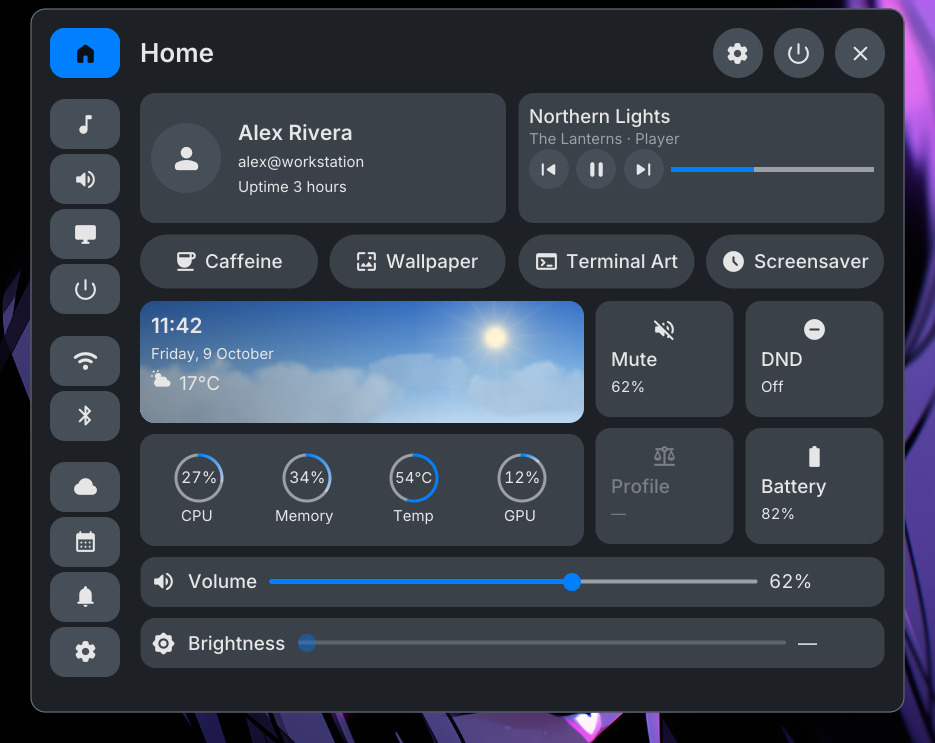
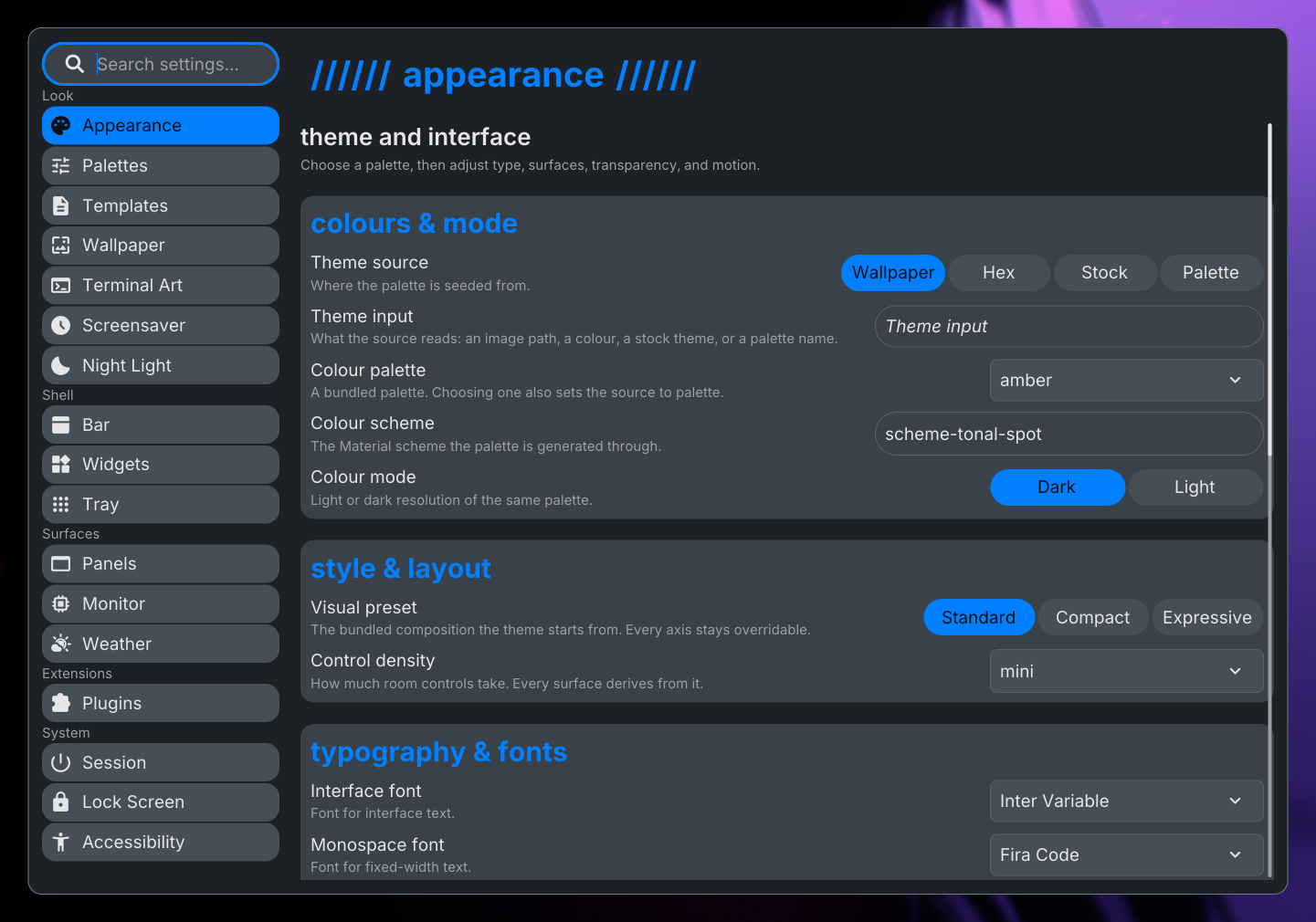
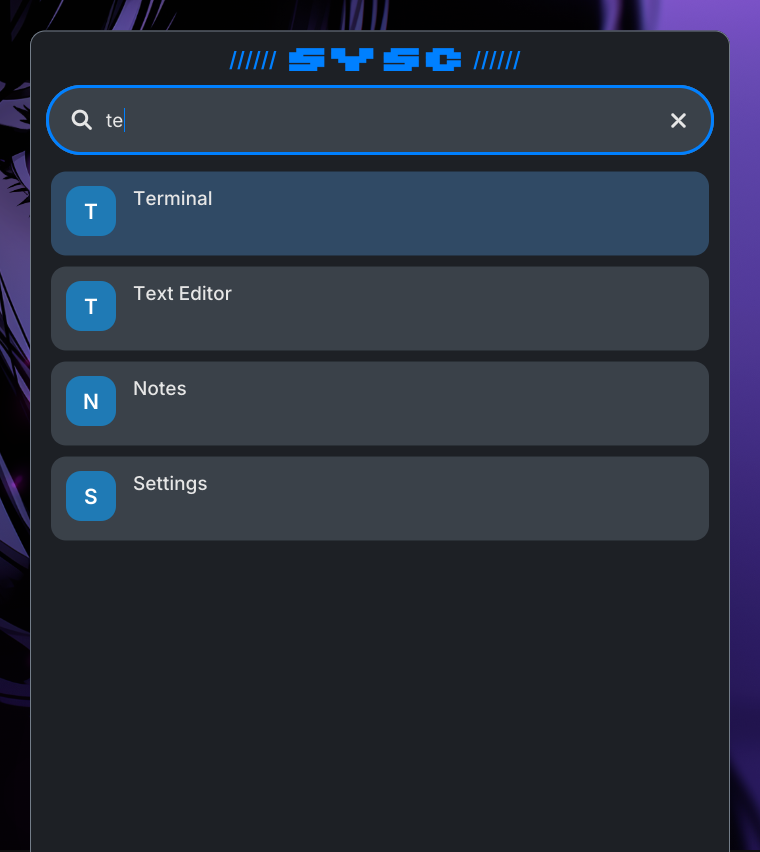
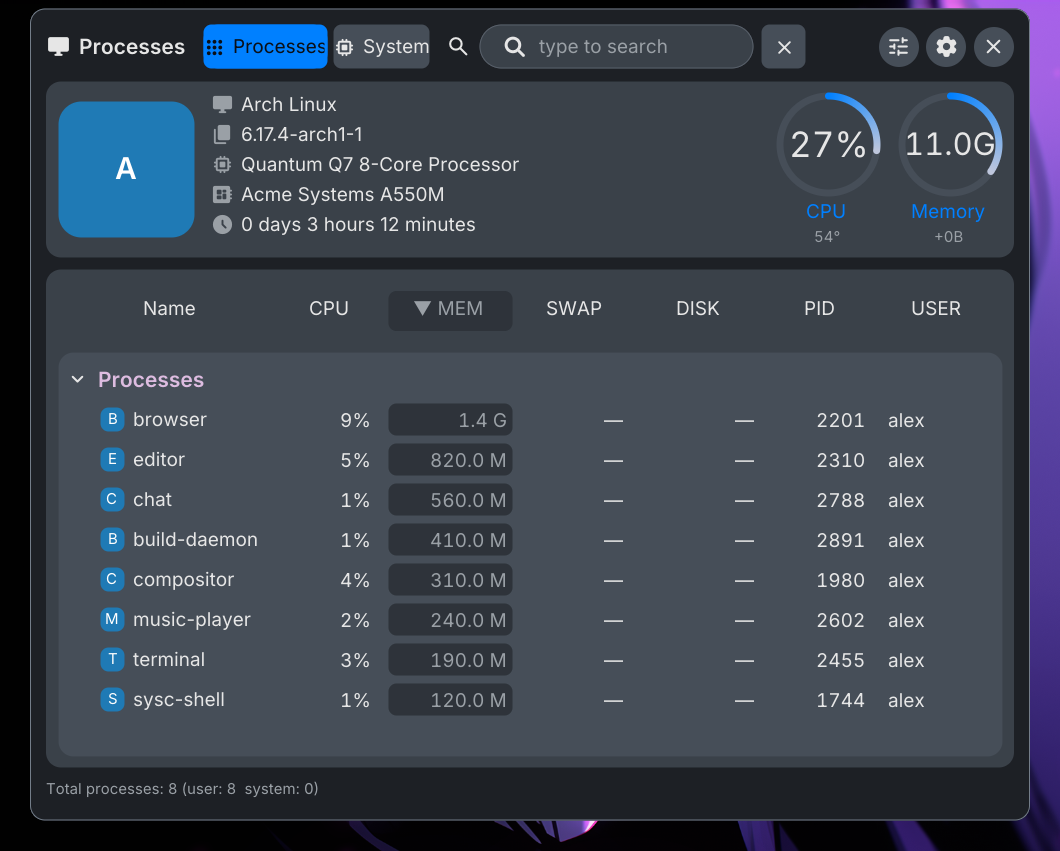
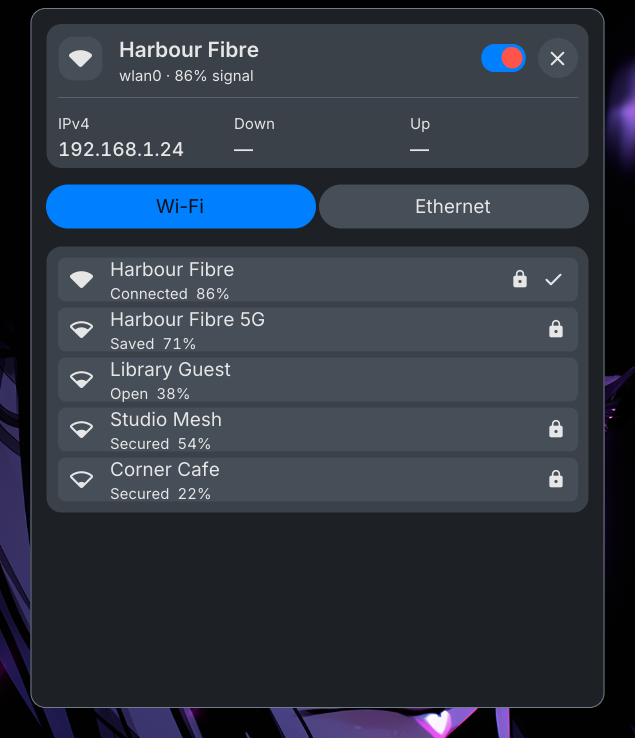
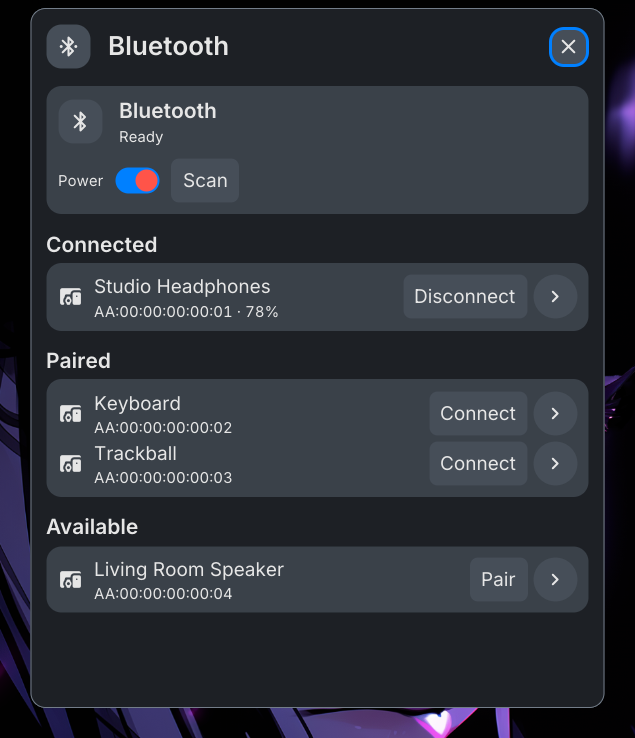
These captures use fixture data and invented network and device names.
The shell offers a first-run setup panel when no config exists; reopen it with sysc-shell ipc panel.toggle '{"panel":"onboarding"}'. Shell surfaces and Settings are available in English, Spanish, Portuguese, Japanese, Korean and Russian; choose the interface language in Settings → Session → Language.
The shell opens panels from the bar, including a file browser (files) and the first-run onboarding panel (onboarding). You can also bind sysc-shell ipc actions in Niri. For example, open the launcher with Super+Space and the settings panel with Super+Comma:
binds {
    Super+Space { spawn "sysc-shell" "ipc" "panel.toggle" "{\"panel\":\"launcher\"}"; }
    Super+Comma { spawn "sysc-shell" "ipc" "panel.toggle" "{\"panel\":\"settings\"}"; }
}
The IPC endpoint accepts sysc-shell ipc status for a read-only status check. Panel actions include launcher, control-center, notifications, clipboard, clock, weather, system-monitor, session, power, settings, wallpaper, audio, network, bluetooth, files, onboarding, terminal-art and plugin-store. Wallpaper and Terminal Art appear when their optional backends are available. The shell repository's Niri hotkey reference lists the other panel and OSD actions.
Use Settings to edit the shell's saved config. The installer seeds that file on first install and leaves an existing file in place during reinstall or upgrade. Back up the config before editing it by hand; the path reference shows the XDG location.
Service failures
A shell restart does not restart tray, clipboard or notification services. Check the service that owns the missing feature, then read its journal:
systemctl --user --no-pager --failed
systemctl --user --no-pager status sysc-tray.service
journalctl --user -u sysc-tray.service -b --no-pager
Replace sysc-tray.service with the unit for the feature. The shell can draw without a companion daemon, but the matching feature stays unavailable. See service diagnostics for the recovery order.
The shell targets Niri. The source record does not establish support for other compositors or a complete hardware matrix.
The shell documents Night Light using Niri's gamma-control protocol, available from Settings → Night Light. See the Night Light guide at the documented source commit.